
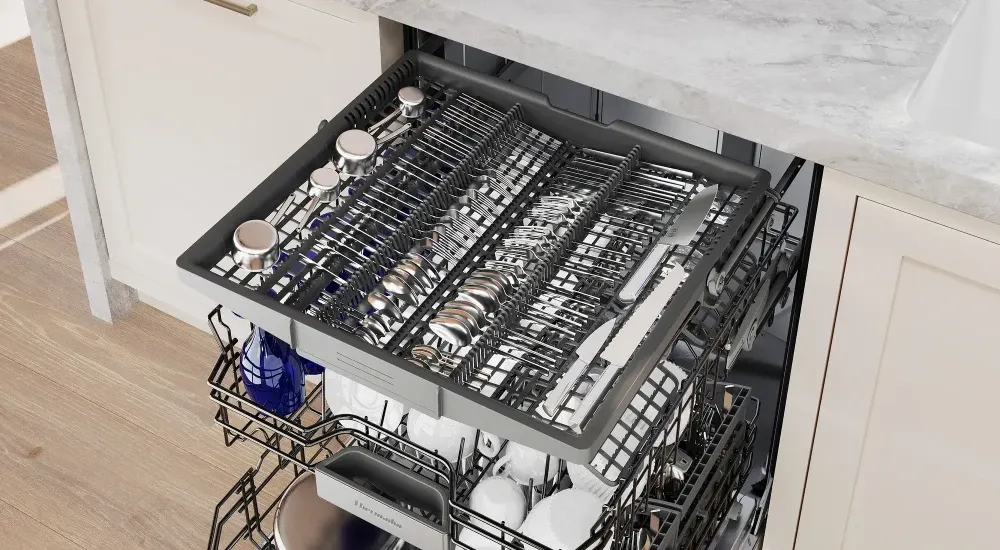
Why Won't My Thermador Dishwasher Start?
A Thermador dishwasher that won't start can have a simple explanation: the power is off, Delay Start is active, the door is not fully closed or the water supply is shut off. A previous cycle that was interrupted can also prevent a new cycle from starting as expected. Check those basics before assuming a part has failed.
If the dishwasher still will not run, the cause may be a door sensor, a water inlet problem, a pump or an electrical fault. The display and any error code help narrow down what needs attention. Thermador models do not all use the same controls, so use the instructions for your model rather than a button sequence meant for another brand.
Thermador Dishwasher Not Starting? Start With the Controls
If the Display Is Completely Dark
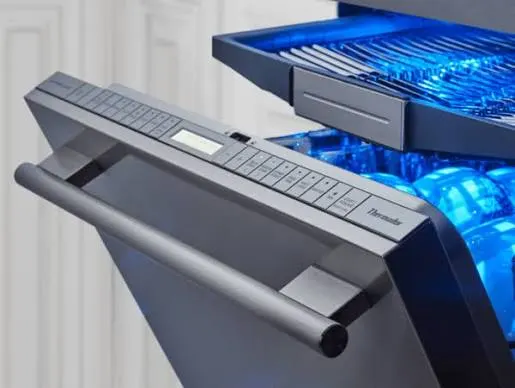
First, press the dishwasher's power switch. A dark display does not always mean the appliance has lost power. Thermador explains that on top-control models the display may illuminate only when the door is open and the controls are visible. On certain front-control models, the display illuminates only when the door is closed.
If the display stays dark in the correct door position, check the breaker and any accessible plug without pulling the dishwasher out. Reset a tripped breaker once. If it trips again, or you notice a burning smell, stop using the dishwasher and have the electrical supply checked. Do not remove the kick plate or open an electrical junction box yourself.
If the Lights Come On but It Won't Run
Check for an active Delay Start setting. Thermador lists Delay Start as one reason a dishwasher may not begin filling. Cancel the delay using your model's instructions, or wait for the delay to finish.
Then confirm that you selected a wash cycle and completed the Start sequence for your model. If your dishwasher has a control lock, check the manual for its unlock procedure. Do not assume another brand's button sequence will unlock a Thermador. The button labels and steps vary by model.
If the Door Is Not Fully Closed
Push both racks fully into place and check for a utensil, pan handle or dish keeping the door from closing. Close it firmly without forcing it. A door that looks closed may still not be engaging its latch or sensor.
If the door will not stay closed, the latch is visibly damaged or the dishwasher still acts as if the door is open, arrange service. A technician can check the latch, door sensor and alignment rather than replacing a part based only on the symptom.
If the Previous Cycle Was Interrupted
Thermador notes that an unfinished previous cycle can leave the dishwasher unable to fill or accept a new cycle as expected. Follow the cancel or reset instructions in your model's manual before selecting another wash program.
For reset instructions, use Thermador's owner's manual lookup. There is no single reset button sequence that applies to every Thermador dishwasher. Repeated resets are not a repair for a recurring fault.
Is Water Reaching Your Thermador Dishwasher?
If the controls respond but the dishwasher does not fill, check that the water supply valve, usually under the sink, is open. This is especially worth checking after plumbing work. Look for a visible kink or damage in an accessible supply hose, but do not disconnect the hose or pull the dishwasher from its cabinet to investigate.
Thermador's dishwasher troubleshooting guide identifies a blocked water supply, an unfinished previous cycle and an active delay as possible reasons for no filling. If those checks do not help, the inlet valve, filling system or its controls need a professional diagnosis.
What Do Thermador Dishwasher Error Codes Mean?
Write down the full code or take a photo before attempting a reset. Codes vary across Thermador models, and newer displays may use longer versions. These examples come from Thermador's official dishwasher error-code guide:
- E15 or E3100: Water has been detected in the dishwasher's base and the leakage protection system has activated. Turn off the water supply and arrange service. Do not keep restarting the dishwasher or tilt it to clear the warning.
- E14 or E3000: A flow meter or filling-system problem needs service attention.
- E16 or E17: There is a filling-system or incoming-water issue. Check an accessible inlet hose for kinks or damage.
- E18 or E3200: The water level is too low or water is not being pumped correctly. Check that the water supply is on and the accessible inlet hose is not kinked.
- E24 or E25: A drainage problem may involve a blockage, the drain pump or its cover, or the drain hose. If water remains in the tub, do not treat it as simply a failed Start button.
- E8000: Thermador identifies a door sensor circuit fault. Follow its instructions for that code and seek service if the fault returns.
A code points to a system that needs checking, not necessarily one part that must be replaced. If your code is not listed, check your owner's manual or contact Thermador support rather than applying another manufacturer's code meanings.
Which Parts Can Keep a Thermador Dishwasher From Starting?
Once the power, settings, door and water supply have been checked, a technician can test the components involved in starting and running the cycle.
Door Latch or Door Sensor
The dishwasher needs to detect a closed door before it can operate. A damaged latch, an alignment problem or a door sensor fault can prevent that. Clearing something that blocks the door is a homeowner check. Testing a sensor or opening the door panel is a service job.
Water Inlet Valve or Filling System
If the supply valve is open but the dishwasher does not take in water, the inlet valve, flow meter or another part of the filling system may need testing. A leak-protection fault can also interrupt operation. Do not bypass a safety switch to make the dishwasher run.
Controls, Wiring or a Pump
A powered display does not rule out an electronic fault. A control-panel problem, a board fault, damaged wiring or a pump problem can prevent the dishwasher from progressing into a wash. Similar symptoms can have different causes, so replacing the control board without testing can miss the real problem.
Switch off power at the breaker before any service panel is opened. Electrical tests and internal repairs should be left to a qualified technician.
When to Call for Thermador Dishwasher Repair
Schedule a diagnosis if the dishwasher still will not start after the basic checks, if the door will not latch or if an error returns after the model's recommended reset. Stop sooner if a breaker keeps tripping, you smell burning, you see a leak or a leak-protection code appears.
Have the model number and a photo of any code ready when you call. Note whether the display is dark, the controls respond, water enters the tub or the dishwasher makes a sound and then stops. Those details are more useful than simply reporting that it will not start.
Atomic Tech provides dishwasher repair and Thermador appliance repair for homeowners in Augusta and nearby communities. If the checks do not solve the problem, schedule a visit so a technician can identify the cause and explain the repair before work begins.